
Personal Task Manager
A personal task management platform designed to organize daily work, manage tasks and priorities, track individual progress, monitor deadlines, and maintain personal productivity.
1. Project Overview
Personal Task Manager is a dedicated personal productivity application engineered to help individuals structure daily tasks, prioritize active commitments, monitor milestones, and stay focused without the cognitive friction of bloated enterprise project tools.
Unlike team collaboration software that requires complex permissions and team status syncs, this application focuses solely on individual execution—giving you instant visibility into today's active tasks, future calendar scheduling, and historical completion velocity.
2. Problem & Motivation
Most modern productivity tools are built for complex organizational hierarchies, requiring user accounts, cloud logins, team workspaces, and nested project trees. For daily personal task execution, this creates unnecessary overhead and friction.
Personal Task Manager addresses this by stripping away external dependencies in favor of immediate local execution, clean visual feedback through progress indicators, and an uncompromised mobile experience.
3. Key Features
Built specifically around individual productivity and everyday task management:
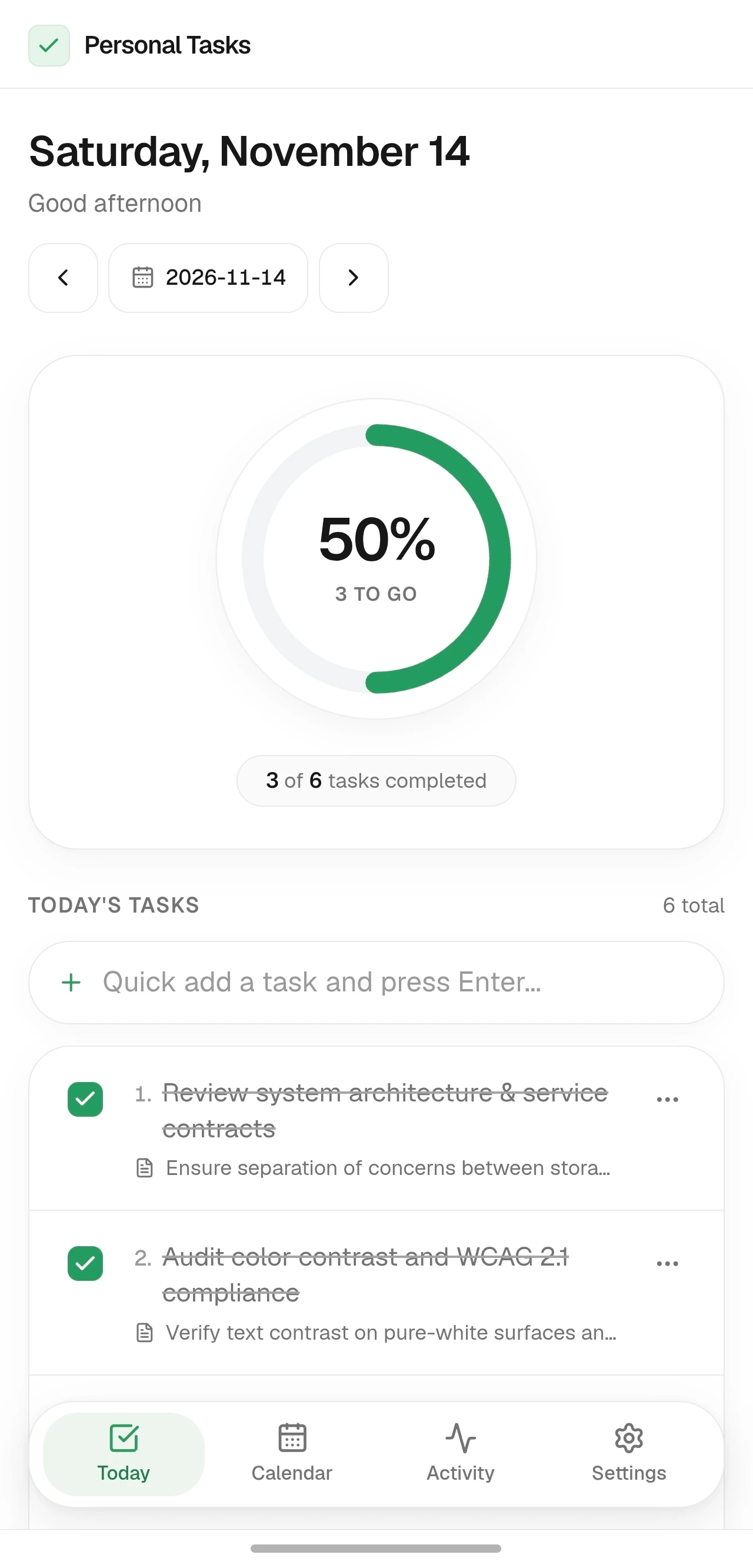
- Today Workspace: An executive daily task list featuring an animated emerald circular progress indicator that calculates real-time completion ratios as tasks are checked off.
- Inline Task Creation & Priority Tiers: Quick-entry task capture allowing users to specify deadlines, notes, and priority levels without navigating away from the current view.
- Interactive Calendar Scheduling: A dedicated forward-looking calendar view to review upcoming commitments, manage future deadlines, and reschedule pending deliverables.
- Activity Heatmap: A visual contribution-style streak graph that charts daily productivity consistency and completion volume over time to foster continuous positive habits.
- Mobile-First Floating Navigation: An ergonomic bottom dock tailored for one-handed mobile use with iOS safe-area support, alongside clean desktop header navigation.
4. Technical Implementation
Engineered with a modern, lightweight web architecture focused on speed and reliability:
- Framework & Language: Built on Next.js App Router with React and TypeScript, enforcing strict end-to-end type safety for task data structures, date models, and status lifecycles.
- Client-Side Storage & Zero Latency: Uses browser LocalStorage for immediate, zero-network data reads and writes, ensuring all personal task details remain private on the user's device.
- Date & Timezone Synchronization: Implements a client bootstrapping script with cookies (
pt_client_dateandpt_client_tz) to accurately align daily task schedules with the user's local timezone. - Progressive Web App (PWA): Configured with a web app manifest, custom splash launch screen, standalone display modes, and responsive touch icons for seamless installation on iOS and Android.
5. Design & User Experience
The visual identity of Personal Task Manager emphasizes quiet restraint, clean white canvases, and purposeful color accents:
- Intentional Color Coding: An emerald green accent (
#269B61) is reserved strictly for active states, completion indicators, and progress feedback, avoiding sensory overload. - Thumb-Zone Ergonomics: On mobile devices, primary actions and view toggles are positioned in the lower third of the viewport within a floating glass pill to minimize thumb stretch.
- Subtle Motion & Feedback: Micro-interactions such as checkbox check-marks, progress ring updates, and skeleton loading screens provide reassuring tactile confirmation without slowing user input.
6. Challenges & Solutions
Cross-Midnight Date Roll-Overs: Client-rendered task lists can display outdated "Today" tasks if the application remains open past midnight across different timezones. I solved this by tracking the user's resolved timezone via Intl.DateTimeFormat and comparing ISO calendar dates on window focus events, cleanly refreshing task buckets without reloading the page.
Zero-Jank Heatmap Rendering: Generating multi-month activity grids on mobile devices can introduce layout shifts or sluggish scroll frames. The activity map was constructed using pure CSS grid cells with precomputed streak arrays, maintaining consistent 60fps scrolling performance.
7. Confirmed Technology Stack & Project Links
Verified implementation technologies: